CV database: candidate profiles that keep themselves up to date
CVs, prequalification, Update campaigns: how every candidate profile in your CV database updates itself, where each piece of information comes from and what stays in your hands.
An up-to-date CV database (the Studio calls it your talent pool) is rarely the result of a large-scale re-keying exercise. In most teams, a candidate’s profile stays frozen on the day they applied, even though everything they have said since could fill it in. In Skillee, the profile updates itself as the conversations happen: a new CV being read, a prequalification, a reply to an Update campaign. Your candidate database stays up to date with no manual re-entry.
Here is how it works, and what it changes for your searches and your campaigns.
Why does a CV database go out of date so quickly?
A CV describes a person on the day they send it. Six months later, they may have gained a certification, changed jobs or started looking again. They often say so themselves, on a call or in a message, but the information stays buried in a transcript: nobody has time to copy it across to the profile.
What updates a candidate’s profile?
The automatic enrichment of candidate profiles follows the steps of the candidate journey.
| Interaction | What changes on the profile | Source shown |
|---|---|---|
| First CV | Profile created: contact details, career history, skills, languages, certifications, place of residence, AI summary | CV |
| New CV | CV added to the version history, anything new added, summary rewritten | CV |
| Prequalification completed | Additions and extra detail on career history, skills, languages and certifications; summary rewritten | Prequalification |
| Update campaign | Situation, job search, possible start date; then the same enrichment as after a prequalification | Campaign |
| Request to stop or pause | Contact status: paused, or do not contact | At the candidate’s request |
| Your edit | Whatever you change | Recruiter |
What does the AI keep after a prequalification?
Once the prequalification is complete and scored, with at least half of the questions covered, the AI rereads the conversation (the call transcript or the messages) alongside the current profile. It proposes targeted changes, never a rewritten profile:
- add a missing entry, such as a certification the CV did not mention;
- complete an entry: an empty field, or extra detail placed after the existing description;
- correct a value, only when the candidate corrects it themselves (“it was 2020, not 2018”).
Every change must quote the candidate’s exact words, and the system checks that the quote really does appear in what they said. Nothing the agent said counts as proof, and the interview score plays no part. No entry is ever deleted, and contact details, address and driving licence are never changed at this step.
Changing nothing is a perfectly normal outcome. When the profile does change, the AI summary is rewritten to describe the full profile, in the language chosen for your company’s content.
And during an Update campaign?
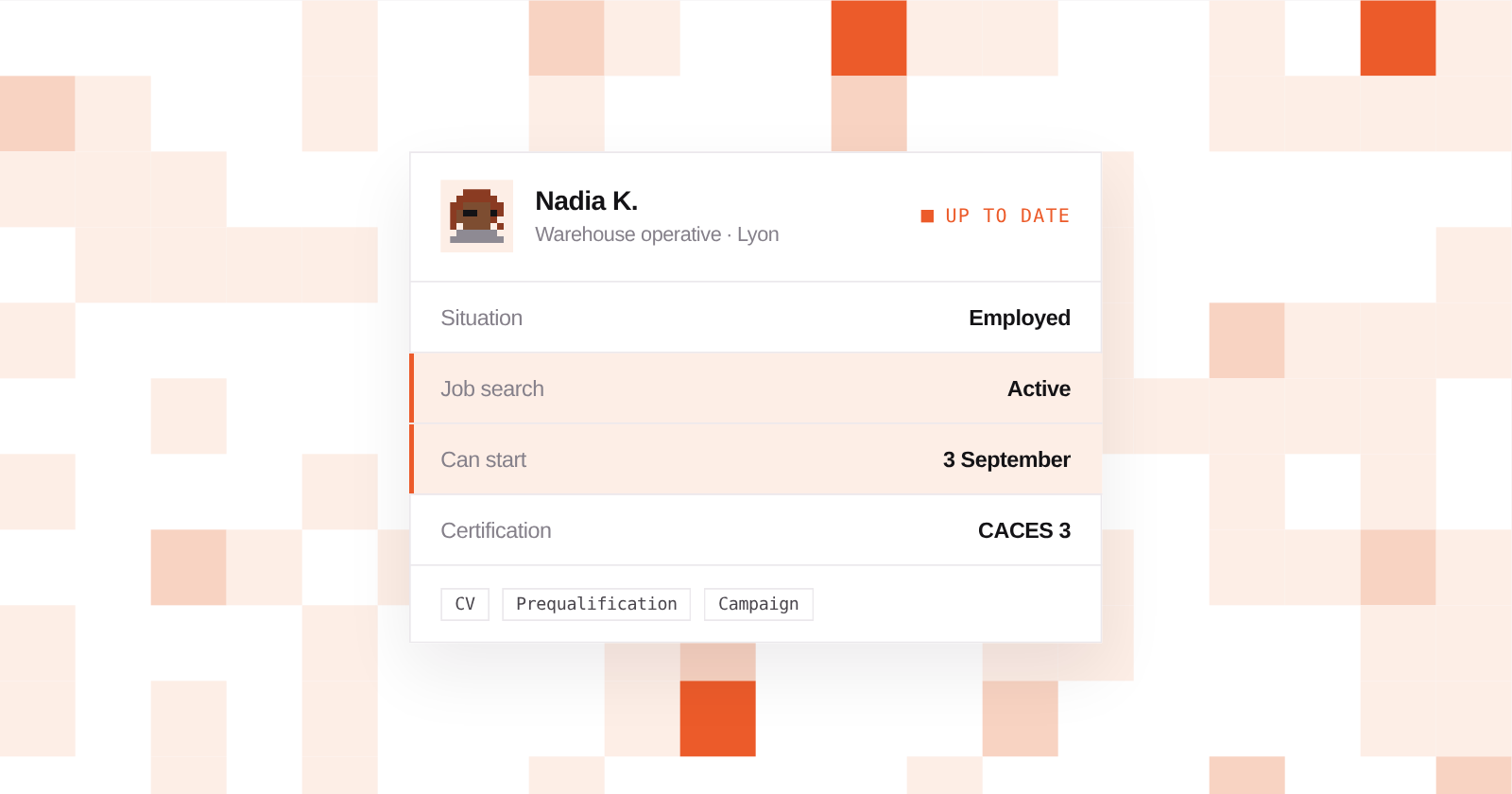
An Update campaign gets back in touch with people in your CV database on WhatsApp or by email to find out where they stand. During the conversation, the “Situation & contact” card can be updated on three points, based on the candidate’s own words: their situation (employed or not employed), their job search and their possible start date. The card then shows the date of the last check, labelled “WhatsApp campaign” or “Email campaign”.
The other answers you asked for, such as mobility or salary expectations, remain available in the campaign conversation. Once the conversation is over, what the candidate said about their career enriches the profile, under the same rules as after a prequalification. How campaigns run is explained in detail in our article on the talent pool.
And what about the information and documents collected?
The information and document collection agent works for one specific job: answers and documents go into the application file, on the candidate’s page within the hiring project. Only the documents requested are kept, and each one is checked: a document that does not match the request is not kept, and a doubtful one is marked Review. From the profile, the History tab opens each application.
How does a candidate who applies twice keep a single profile?
When a new CV comes in, Skillee looks in your CV database for a profile with the same email address or, failing that, the same phone number. If it finds one, the CV is attached to that profile:
- it joins the version history, and the previous versions remain available;
- new experience is added to what was already known, and duplicates are merged;
- contact details and place of residence take the values from the most recent CV, when it provides them;
- the AI summary is rewritten to cover the whole career.
If neither the email address nor the phone number matches, there is nothing to identify the person by: a new profile is created.
What stays in the recruiter’s hands?
- The source of every piece of information. Each experience and each education entry carries a label such as “CV · 12/03/2026” or “Prequalification · 18/03/2026”. Hover over it to see the history of where it came from, as you can for each skill.
- A complete history. The History tab brings together applications and their stages, imported CVs, campaigns and every change of situation, for example “Situation: Not employed → Employed”.
- Control over the profile. You can edit it whenever you like, and your edits are labelled “Recruiter”. After a conversation, a value already filled in is only replaced if the candidate corrects it themselves, and an edit you make while an enrichment is running is not overwritten.
- Respect for the candidate’s wishes. If they ask not to be contacted again, or not before a certain date, the profile records it. This restriction is only set if they expressed it themselves, and it cannot be lifted from the Studio.
Why does an up-to-date CV database change search and campaigns?
Talent Rediscovery starts from a plain-language description. It finds the closest profiles from their AI summary, then scores each one, criterion by criterion, on what its profile contains. A certification you learned about during prequalification becomes searchable, even if it appears on no CV. In the CV database list, you can also filter on job search status, last contact or a radius around a town.
Campaigns depend on it too. A Re-engagement campaign, which offers a job, only goes to people whose profile shows they are actively looking or open to opportunities: a profile still marked “To confirm” is left out. That is precisely the information an Update campaign fills in. And by default, an Update campaign does not write to anyone contacted less than 90 days ago, across all channels.
An example over a few months
Let’s take a fictional example: Nadia K. applies to Logistique Martin, a French temp agency based in Lyon, for a warehouse operative role.
In February, her CV creates her profile: two warehouse jobs, a CACES 1 (one category of France’s forklift licence) and a home in Vénissieux, just outside Lyon. During prequalification on WhatsApp, she writes: “I got my CACES 3 in January, it’s not on my CV yet.” She adds that she ran the stocktakes at her last employer. Her profile gains the certification, the description of that job is completed and labelled “Prequalification”, and the summary is rewritten. She is not selected for this role.
In May, she applies for another job with a rewritten CV and a new email address. Her phone number has not changed: the CV is attached to her profile, her temping assignment is added, and the CACES 3 stays.
In July, an Update campaign goes out on WhatsApp to check the situation, job search and availability of the warehouse operatives. Nadia replies: “I’m on an assignment until the end of August, I’m looking for a permanent job, free from 3 September.” Her profile moves to “Employed” and “Actively looking”, with a possible start date of 3 September.
In August, a client is looking for a warehouse operative with CACES 3 near Lyon. In Talent Rediscovery, Nadia comes up thanks to the certification she mentioned during prequalification, and because she is actively looking, she can be offered the job through a Re-engagement campaign. Nobody re-keyed a thing.
Where should you start?
Keeping candidate profiles up to date needs no setting up: it follows the agents you already use. Every CV received is read and structured, then CV screening assesses it against your criteria (see our article on AI CV screening). Prequalification enriches the profile after every interview (see how an AI prequalification agent works), and an Update campaign brings your oldest profiles back up to date.
To try it on your own CV database, the free trial gives you 500 credits for 7 days, no credit card required.